Build your AI agents

Build and deploy AI agents with a guided workflow - no heavy MLOps required.

Handle your AI agents

Govern your AI models: add controls and monitoring to your existing AI—built to support the EU AI Act and regulatory requirements.

Learn more.
How it works.

Create agentic AI models in minutes - no code required.
Fully self-provisioned and EU AI Act—ready by design.

Start for free

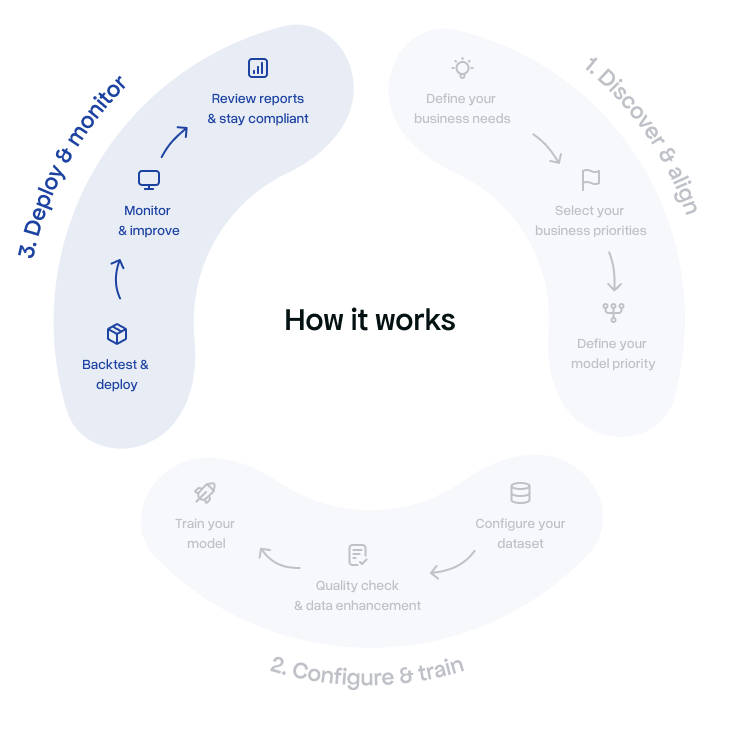
How Build AI works

Understand how Build AI works, from dataset configuration to model training.
Follow each step to build and launch your AI agents with confidence.

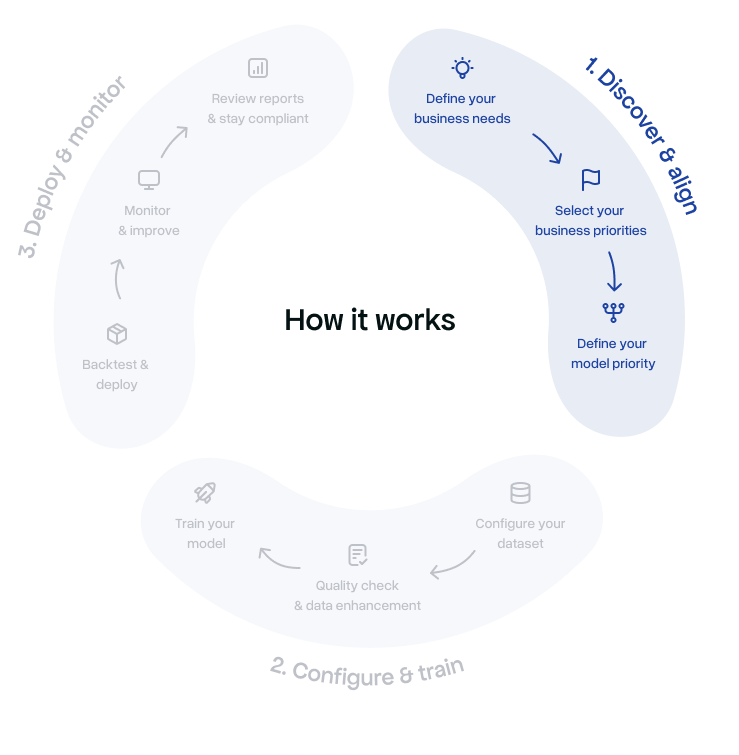
Discover & align
Define your business needs

Choose what you want your AI to solve—such as Credit Scoring, Fraud Prevention, or Customer Rating. This defines the logic and data your AI Agent will use.

Select your business priorities

Select the strategic goals that matter most—for example: • Cost optimization • Inclusion and fairness (new-to-credit) • Portfolio stability Each choice adjusts how the model balances accuracy, risk, and scalability.

Define your model priority

Choose the modeling approach that best fits your needs—from high interpretability to maximum speed and robustness. Each model comes with performance indicators such as accuracy, scalability, and inference speed.

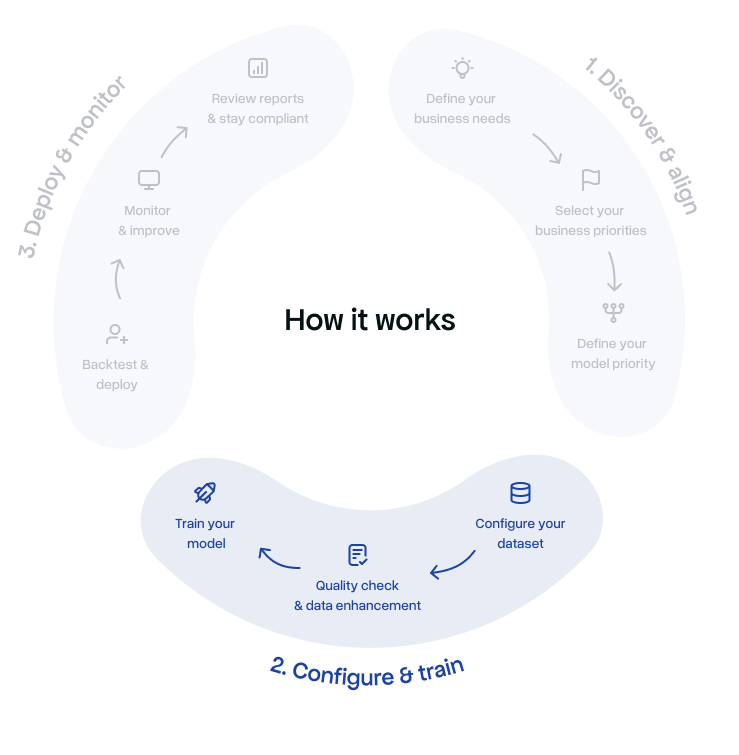
Configure & train
Configure your dataset

Tell us whether you already have a dataset and its size. Genyo.ai automatically adapts data processing and model selection for optimal training performance.

Train your model

Genyo.ai trains your decision model in just a few clicks, leveraging your configuration, data, and priorities. Training status and performance are displayed in real time.

Quality check & data enhancement

The platform validates your data, enriches missing values when possible, and ensures the dataset meets quality thresholds. A Data Quality Report and Data Enhancement Report are automatically generated.

Operate & improve
Backtest & deploy

Fine-tune the model based on training outcomes and performance metrics. Once optimized, deploy it instantly as an API-powered AI Agent within your workspace.

Monitor & improve

Once deployed, Genyo.ai continuously monitors your model’s performance. If drift or performance variation is detected, a Drift Report is generated, enabling quick recalibration and an updated Decision Model Report.

Review reports & stay compliant

All reports are automatically created, aligned with regulatory frameworks such as GDPR and the EU AI Act. Reports include both executive summaries and technical details for audit readiness.

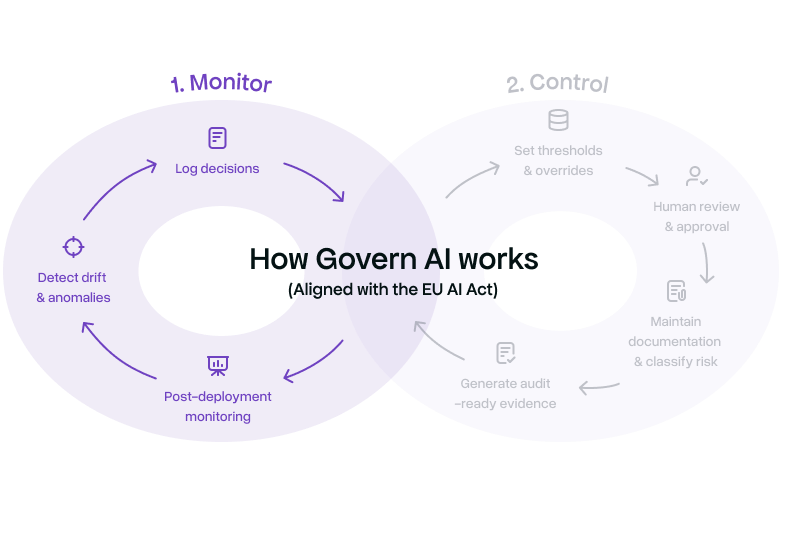
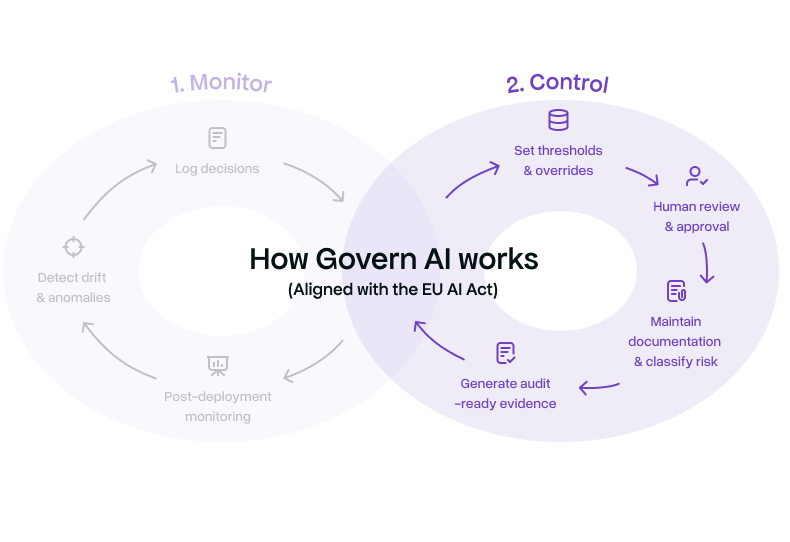
How Govern AI works

Understand how Govern AI works, from monitoring to compliance and performance tracking.
Keep your AI agents reliable, secure, and under control.

Monitor
Log decisions

Automatically record model inputs, outputs, and decision rationale to ensure traceability, transparency, and audit readiness.

Track drift & anomalies

Continuously detect data drift, performance degradation, and abnormal behavior to identify emerging risks early.

Post-deployment monitoring

Monitor deployed AI systems in real-world conditions to ensure ongoing compliance, reliability, and risk mitigation over time.

Provide & generate evidence

Generate structured evidence to demonstrate compliance with regulatory, governance and internal control requirements.

Control
Apply thresholds & overrides

Define guardrails, risk thresholds, and automated or manual overrides to control model behavior in high-risk or edge-case.

Human review & approvals

Enable human-in-the-loop workflows for reviewing, validating, and approving AI decisions where required by policy or regulation.

Maintain technical documentation & risk classification

Continuously maintain required technical documentation and classify AI systems and use cases according to regulatory risk categories.

Generate audit-ready evidence

Automatically compile structured, traceable evidence to support internal audits, regulatory reviews, and compliance assessments.

FAQs

How it works

What is the dataset size setting for?

Genyo.ai adapts processing and modeling based on your dataset size. Choose from very small to very large datasets, to keep training and inference optimal.

What is the Genyo.ai Dashboard?

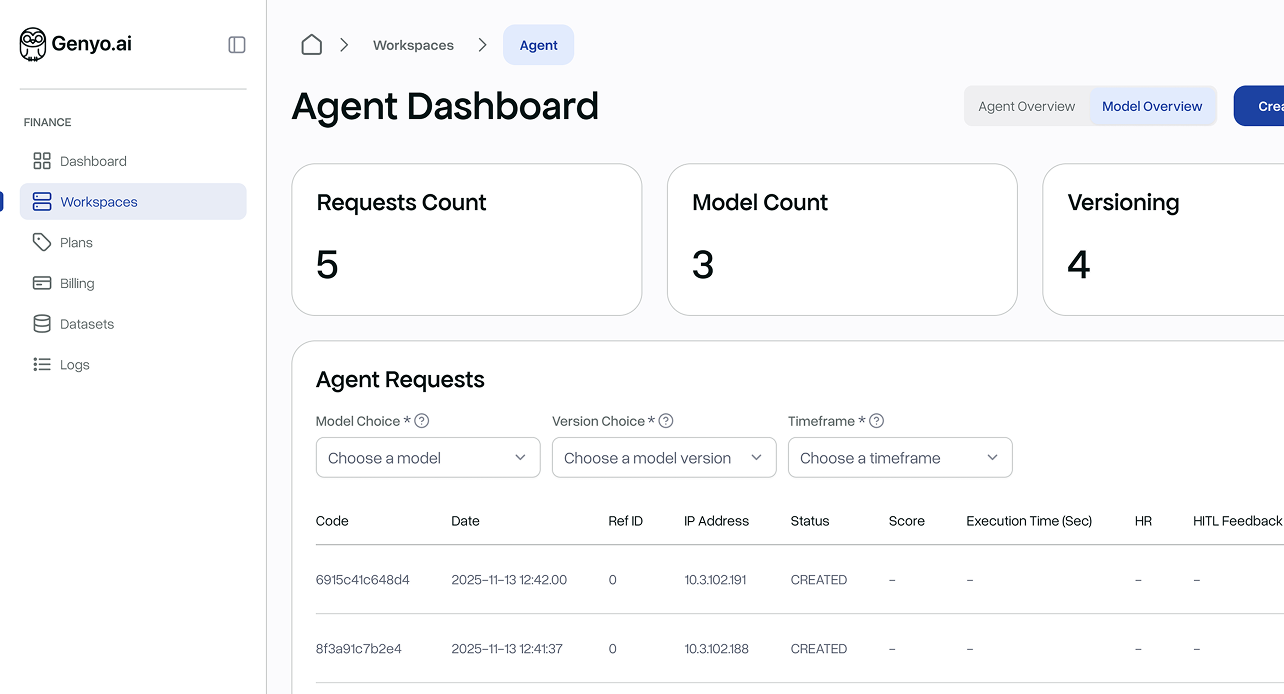
The dashboard is your control center where you can manage workspaces, agents, datasets, and reports. It provides key metrics at a glance — including API activity, dataset quality, and agent scopes — so you always have a clear view of your AI operations.

What is a Workspace?

A workspace is a dedicated environment where you can organize projects, agents, and datasets. Each workspace can represent a specific business unit, data source, or AI use case.

How do I create a new Workspace?

Creating a workspace takes only a few seconds. From the sidebar, select “Create a New Workspace”, enter a name, and click Create. Once created, you can immediately add your first AI Agent.

What is an Agent in Genyo.ai?

An Agent is an AI decision engine designed to solve a specific business problem, such as credit scoring, fraud prevention, or customer retention. Each Agent operates independently within a workspace.

How do I create an Agent?

After opening your workspace, click Create Agent and follow the guided process:
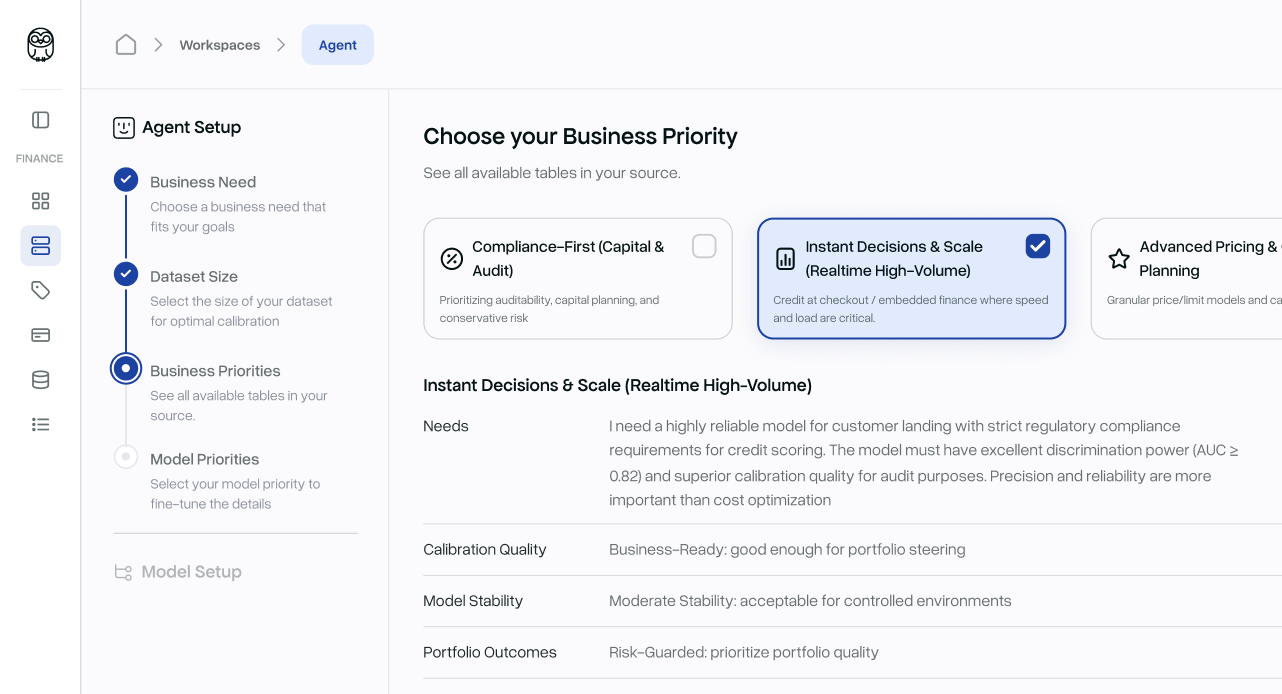
1. Select a business need (e.g., Credit Scoring, Fraud Detection, Customer Rating).
2. Specify your dataset availability and size.
3. Define business priorities (e.g., cost optimization, inclusion, or stability).
4. Select your model priority from optimized model options.
This process helps tailor the model to your exact goals.

What does “Business Need” mean?

It identifies the purpose of the Agent — such as assessing creditworthiness, detecting fraud, or predicting churn. Selecting a business need helps Genyo.ai preconfigure the most suitable algorithms and workflows.

What is the Dataset Size selection for?

Genyo.ai adapts its processing and modeling based on your dataset size. You can choose from very small to very large datasets, ensuring training and inference remain optimal.

What are Business Priorities?

Business Priorities let you fine-tune your Agent’s objectives. Examples include:
• Cost-Optimized Batch Underwriting: for large-scale scoring with minimal operational cost.
• New-to-Credit Expansion: for reaching underserved populations while maintaining control.
Each priority defines calibration quality, model stability, and data readiness requirements.

What is Model Priority?

Model Priority allows you to select the best-performing model architecture for your needs — for example: • TabPFN Batch-Optimized Credit Scoring – best for batch operations and small datasets. • XGBoost Lightweight Credit Scoring – excellent speed and scalability. • GAM Standard Credit Scoring – highest interpretability and regulatory alignment.